
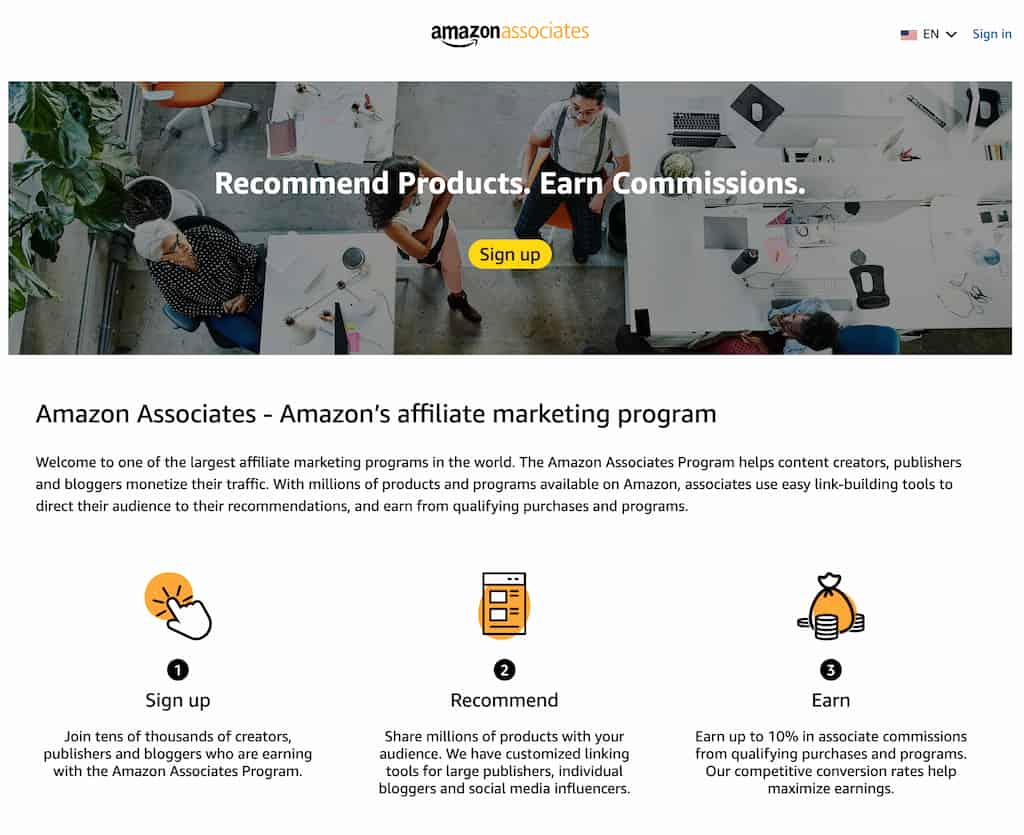
Amazon Associates is Amazon’s official affiliate marketing program. It allows bloggers, website owners, and content creators to earn a commission by promoting products sold on Amazon. Every time someone clicks your affiliate link and makes a purchase, you get paid a small percentage of that sale.
It’s one of the most popular ways to start generating passive income online, as almost everyone shops on Amazon. Whether you’re recommending books, tech gadgets, or home essentials, there’s something for every niche.
👉 If you’re brand new to the program and want a full step-by-step breakdown, check out my detailed guide here: Earning Passive Income: How to Make Money with Amazon Associates
| Do’s ✅ | Don’ts ❌ |
|---|---|
| Clearly disclose that you use Amazon affiliate links (e.g., a disclaimer at the top of your post). | Don’t cloak or hide affiliate links—Amazon must see the source clearly. |
| Use Amazon’s SiteStripe or API to generate official links. | Don’t include affiliate links in eBooks, PDFs, or printed materials. |
| Keep product mentions general if you’re not using the API (e.g., “under $50” instead of a fixed price). | Don’t use static prices or star ratings that may become outdated. |
| Link back to your blog or website from emails/newsletters instead of direct Amazon links. | Don’t send Amazon affiliate links in emails—this violates policy. |
| Use Amazon’s approved banners and images when available. | Don’t misuse Amazon’s logos, buttons, or trademarks in custom graphics. |
| Build clicks organically with helpful content and genuine recommendations. | Don’t click your own links or encourage fake clicks/purchases. |
| Always link directly to a product page. | Don’t link to Amazon’s help pages or redirect URLs. |
Amazon requires full transparency with affiliate links. That means you can’t use link cloaking tools (like Pretty Links or Thirsty Affiliates) to disguise where your links point. While cloaking is common in other affiliate programs, Amazon wants to see exactly where traffic is coming from.
Why it matters:
If Amazon’s bots or compliance team can’t clearly see that your link leads to their site, your account could be flagged and terminated.
Best practice:
Use Amazon’s SiteStripe tool (visible at the top of any product page when logged in to your Associates account) to generate links. These links are long and messy—but 100% compliant.

Amazon links are strictly for online content. That means you can’t include them in downloadable eBooks, PDFs, printed guides, or physical marketing materials.
Why it matters:
Amazon can’t track where offline clicks are coming from, and they want all affiliate activity to happen online.
Best practice:
If you’re creating a free guide or resource, include a link back to a blog post or landing page that contains your affiliate links instead of embedding the Amazon links directly.

It might be tempting to write something like “This product is $39.99 on Amazon” or “Rated 4.7 stars,” but this is against policy unless you’re pulling the data directly from Amazon’s API.
Why it matters:
Amazon’s prices and ratings change constantly. If your blog shows outdated info, it could mislead customers—and Amazon doesn’t allow that.
Best practice:
- Use Amazon’s official banners and graphics from your Associates dashboard.
- Use plain-text links or your own custom CTA buttons without Amazon’s name/logo. For example: “Check today’s price here” instead of “Buy from Amazon.”

This one seems obvious, but it’s worth stressing. Clicking your own links, asking friends/family to click, or creating fake traffic is considered fraud.
Why it matters:
Amazon tracks clicks, purchases, and IP addresses. If they detect suspicious activity, they can shut down your account and withhold your commissions.
Best practice:
Focus on organic clicks by publishing helpful content, reviews, and tutorials that naturally drive people to click. Think “value first, sale second.”

Amazon requires that Associates link directly to product detail pages—not help centre pages, redirect URLs, or even the Amazon homepage.
Why it matters:
Links to anything other than product pages don’t generate proper tracking or commissions, and they’re against Amazon’s rules.
Best practice:
Always link straight to the specific product page you’re recommending. For example:
✅ Correct: A link to a product like a laptop stand.
❌ Wrong: A link to Amazon’s homepage or customer service page.
The Amazon Associates Program is a fantastic way to start building passive income online—but it comes with strict rules. Many affiliates lose their accounts (and earnings) not because they’re trying to cheat the system, but because they simply didn’t know the policies.
By avoiding common mistakes like cloaking links, adding them to emails, or quoting outdated prices, you’ll keep your account safe and build more trust with your readers. And at the end of the day, compliance isn’t just about protecting your commissions—it’s about creating a better experience for your audience.
What Happens If Your Amazon Associates Account Gets Flagged?
If Amazon suspects a rule violation, they may:
Send a warning email asking you to fix the issue.
Place a hold on your commissions while they investigate.
In serious cases, terminate your account immediately and withhold unpaid earnings.
Unfortunately, appeals are rarely successful. That’s why it’s better to build good compliance habits up front rather than try to recover later.
Why You Shouldn’t Rely on Amazon Alone
Amazon Associates is a great starting point, but it shouldn’t be your only source of affiliate income. Consider:
Joining other affiliate programs in your niche with higher payouts.
Building an email list (links go to your blog, not directly to Amazon).
Creating your own digital products (courses, guides, or downloads) to diversify.
👉 The more you diversify, the less risky it becomes if Amazon changes their rules or shuts down accounts unexpectedly.
Stay transparent, follow the guidelines, and you’ll be well on your way to long-term affiliate success.

Following Amazon’s rules is just the beginning. If you really want to grow your affiliate income, you’ll need:
- A website built for conversions.
- Content strategies that attract consistent traffic.
- Step-by-step training that helps you scale beyond just Amazon.
That’s exactly what you’ll find at Wealthy Affiliate—the platform that taught me (and thousands of others) how to build a real online business.
👉 Click here to start your affiliate journey with Wealthy Affiliate today
- Use Amazon’s API (requires technical setup).
- Or, keep things general: instead of saying “$39.99,” say “affordable under $50.”
- For ratings, say “highly rated” instead of quoting stars.




Really helpful breakdown, John! I like how you not only listed the rules but also explained why each one matters—it makes it so much clearer how easy it is to slip up without realising it. The reminders about static prices and email links are especially valuable since those seem like common mistakes beginners might make. Do you think Amazon will ever relax some of these stricter rules (like link cloaking or email restrictions), or do you see compliance only getting tighter in the coming years?
Thanks so much for the kind words! You’re absolutely right—most affiliates who lose their accounts don’t set out to break the rules, they just don’t realise how strict Amazon can be.
As for your question, I honestly don’t see Amazon relaxing things like link cloaking or email restrictions anytime soon. Amazon’s priority is protecting their brand and ensuring customers have a consistent experience, so I think compliance will likely stay tight (and possibly get stricter as they refine their tracking and monitoring).
That said, once you build a habit of working within the rules, it becomes second nature—and it actually helps you develop better affiliate practices for other programs too. Many other affiliate networks are more flexible, so mastering Amazon’s strict rules can be a great training ground for long-term success.
This article is a real eye-opener for anyone starting out with Amazon Associates! I love how it doesn’t just list rules but explains why each one matters, helping affiliates stay compliant while building trust with their audience. The examples and best practices make it easy to follow, even for beginners who aren’t tech-savvy. I especially appreciate the tips about avoiding static prices and misleading links. It’s such a common mistake! Out of curiosity, for someone just starting, which rule do you think is the easiest to overlook but causes the biggest trouble down the line?
Thanks for the thoughtful comment—I’m really glad you found the breakdown easy to follow! You’ve hit the nail on the head: it’s not just about following rules for the sake of it, but understanding why they’re there so you can build trust long-term.
Great question! In my experience, the rule that trips up the most beginners is using static prices or star ratings. It seems harmless to copy and paste “$39.99” or “Rated 4.5 stars,” but because Amazon updates prices and reviews constantly, those little details can quickly become inaccurate. And Amazon doesn’t take kindly to that.
It’s such an easy mistake to make, especially when you’re new and trying to be helpful with specifics. But it can cause major headaches if your content looks misleading (even unintentionally). The good news is that once you know the rule, the fix is simple—stick with general phrasing like “under $50” or “highly rated” unless you’re pulling data directly via the API.
Hi John, so interesting info here about Amazon Associates, I have read the main points and haved adhered to them – however I have been guilty of clicking my own links, just to be sure they work. Why is this not allowed and what happens if we do that?
Your guide is very comprehensive and I have filled in my details to get the free tutorial, which I believe would be beneficial to me.
Best of luck and thankyou.
Thanks so much for taking the time to comment, and I really appreciate you signing up for the tutorial—I’m confident you’ll find it useful!
Clicking your own links is a really common habit (you’re definitely not alone!). The issue is that Amazon can’t tell the difference between a test click and someone trying to generate fake traffic or even self-purchases. Their system flags those clicks as suspicious, and if it happens often, it can trigger warnings or even lead to your account being shut down.
The safest way to test your links is to:
Right-click and open them in an incognito/private browser window (without logging into your Amazon account).
Or, use Amazon’s link checker tool inside your Associates dashboard, which is designed for exactly that.
This way, you can be confident your links are working without putting your account at risk.
And thanks again for the kind words—best of luck with your affiliate journey!
Thank you for this great recap. Sometimes the terms and conditions on Amazon are difficult to understand, but you have put it all down here in plain and simple English.
I noticed that I am breaking one of the rules. When I go and update an old page on my website, I always click on my old Amazon links to see if the products are still available and haven’t been discontinued. Also I need to check if the links still work. If we are not allowed to click on our own links, what is the best way to achieve this purpose?
Thanks for your kind words—I’m glad the guide helped make things clearer! You’re right, Amazon’s terms can feel like they’re written in “legalese,” so I try to break them down in a way that’s easier to follow.
You’ve brought up a really common situation. A lot of affiliates click their own links just to double-check if products are still available. The problem is that Amazon’s system doesn’t know the difference between a genuine test click and someone trying to inflate traffic, so it’s technically a violation.
The safer ways to check your links are:
Use Amazon’s Link Checker Tool inside your Associates dashboard (it’s made for testing whether links are active and valid).
Open your link in a private/incognito window without logging into Amazon. That way, it doesn’t associate the click with your account.
Spot-check availability manually by searching for the product name directly on Amazon (without using your affiliate link).
That way, you can keep your links up to date without risking any compliance issues.
And well done for checking and updating your older content—most affiliates overlook that step, but it really helps keep your site relevant and trustworthy.
This is a great breakdown, John—really helpful for both beginners and experienced affiliates. Reminders like avoiding cloaked links or quoting static prices are so important for staying in good standing with Amazon Associates. Many people aren’t even aware of how easy it is to accidentally break the rules.
I have a question though: Have you found any tools that help automate compliance checks, especially when managing a large number of product links?
Thanks so much—I’m really glad you found the breakdown useful! You’re absolutely right, a lot of affiliates don’t realise how easy it is to slip up with Amazon’s rules, especially when managing a bigger site with lots of links.
Great question about tools. Unfortunately, Amazon doesn’t provide a full compliance checker beyond their Link Checker Tool in the Associates dashboard, which only tests individual links. But there are third-party tools that can help make life easier:
AMZ Watcher – Monitors your Amazon affiliate links and alerts you if products go out of stock, get discontinued, or links break.
Geniuslink – Helps manage and localize Amazon links (e.g., for different countries) while keeping them compliant.
Pretty Links/ThirstyAffiliates – While not allowed for cloaking Amazon links, they can still be used for tracking and managing your other affiliate programs.
That said, I’d always double-check third-party tools with Amazon’s current policy (since they can change things fast). For me, a mix of regular manual spot-checks and using a monitoring tool like AMZ Watcher strikes the right balance.
Excellent breakdown, John! I like how you highlighted not just the rules, but also the reasoning behind them—it really helps affiliates understand why compliance matters instead of just memorizing do’s and don’ts. The part about avoiding static prices and star ratings is especially useful, since that’s something many beginners probably overlook. One question I have: for affiliates who repurpose content across multiple platforms (like blogs, YouTube, and social media), what’s the best way to stay compliant while still keeping their branding and messaging consistent?
Thanks so much for the thoughtful feedback—I’m glad the “why” behind the rules came across clearly. Like you said, it’s easy to focus on the do’s and don’ts, but understanding the reasoning helps you avoid mistakes and build trust long-term.
Great question about repurposing content! The key is to keep your messaging consistent across platforms while adjusting how you place your affiliate links to match Amazon’s rules:
Blog posts – This is your home base. Place your affiliate links here, with proper disclosures.
YouTube videos – You’re allowed to use Amazon links in video descriptions, but always add a verbal disclosure in the video (and a written one in the description).
Social media – You can share Amazon links directly on most platforms, but again, make sure you include a clear disclosure (e.g., “#ad” or “affiliate link”).
Where compliance gets tricky is with emails and downloadable content (like PDFs or eBooks)—that’s where links aren’t allowed. The safe workaround is to direct people back to your blog or landing page where the links live.
So in short: keep your core branding/message consistent, but tailor the link placement strategy depending on the platform. That way, you stay compliant without losing your voice.
This is super helpful, thanks! I’ve been trying to figure out how to get into the Amazon affiliate program, and the rules seemed a little confusing. The part about not using static prices is a good tip—I definitely would’ve missed that. I’ll also remember not to use a fixed star rating!
You’re very welcome—I’m glad this helped clear things up! The static prices and star ratings are definitely sneaky ones that catch a lot of new affiliates off guard, so you’re already ahead by knowing about them early.
If you’re just getting started with Amazon Associates, my biggest tip is to focus on building solid, compliant habits from day one. That way, you don’t have to go back and fix things later.
And if you’d like a step-by-step walkthrough of how to start with Amazon Associates (and how to make it work as part of a bigger affiliate strategy), feel free to grab my free tutorial—it’s designed exactly for beginners like you.
Best of luck with your affiliate journey—you’re on the right track already!
I’m getting started with all this and I didn’t know you should not include star rating to products on my blog. Yes, now that you explain it, it makes sense. I could mislead customers if ratings change and I do not update. Thank you for saving me all the hustle of getting banned by Amazon. I’ll correct this right away!
I’m so glad this helped! You’re absolutely right—something as simple as a star rating feels harmless, but it can create a compliance issue if the numbers change and your content isn’t updated.
Good on you for spotting that early and taking action to correct it—it’s much easier to build good habits now than to backtrack later. ????
Keep going with your affiliate journey—you’re already showing the mindset that sets successful affiliates apart! And if you want a step-by-step path to make sure you’re building on solid ground, don’t forget to check out my free tutorial—it’ll give you a clear roadmap to follow.
This is a really solid guide, John. Even after being around affiliate marketing for a while, I find Amazon’s rules easy to overlook, especially things like static prices or ratings can’t be used. It’s a good reminder that compliance isn’t just about keeping your account safe, but also about building trust with readers.
Have you noticed any recent changes in Amazon’s enforcement, or are the same rules just being applied more strictly now?
Thanks so much for the thoughtful comment—I really appreciate it! You’re right, Amazon’s rules can feel easy to overlook, even for experienced affiliates. The static prices and ratings rule in particular trips up a lot of people because it seems harmless at first glance.
As for changes, Amazon actually updated their Operating Agreement in December 2024, adding some new clarifications. A big one was around “double dipping,” meaning you can’t earn commissions from Amazon and another affiliate network on the same traffic. They’ve also tightened up rules around compensated reviews and expanded their influencer/creator programs.
Beyond that, I’d say the rules themselves haven’t shifted dramatically—but the enforcement has definitely gotten stricter. Amazon’s doing more audits and sending out more compliance warnings than before, so even small slip-ups are more likely to get noticed.
That’s why I think it’s so important for affiliates to stay on top of policy changes and treat compliance as part of building trust with your audience, not just ticking a box for Amazon.
Thanks @john. Great post. I always find a a checklist makes it easy to work through advice like this. You did a great job of calling out the common mistakes that trip up affiliates. I like how you explained why each rule matters, not just the rule itself. Makes it well worth noting the rule after that!
I thought the next valuable piece of info would be what happens if an account gets flagged? Likewise given you overall flavor – tips on diversifying beyond Amazon. That way affiliates aren’t just staying compliant, but also building a bit of resilience if things ever go sideways. Not that that ever happens with Big Tech….
Thanks again for your post..
MarkA
Thanks so much, Mark—I really appreciate the thoughtful feedback! I agree, a checklist makes it a lot easier to keep track of the rules, and I’m glad the “why” behind each one came across clearly.
You’ve raised two excellent points:
???? What happens if an account gets flagged?
Amazon usually starts with a warning email or request for clarification if something looks off. In some cases, they’ll temporarily hold commissions while they investigate. The tough part is that if they decide you’ve broken the rules, they can shut down your account immediately—and in most cases, there’s no appeal that gets commissions reinstated. That’s why prevention is so important.
???? Diversifying beyond Amazon:
This is huge. Amazon is great for beginners, but it shouldn’t be your only income stream. Building resilience means:
Exploring affiliate programs with higher commission rates in your niche.
Creating your own products or digital resources (like courses, templates, or guides).
Growing an email list that you own—so you’re not 100% reliant on one platform’s rules.
That way, if Amazon ever does change direction (and we know how Big Tech can be…), your income doesn’t disappear overnight.
Thanks again for the great comment—you’ve given me some ideas for a follow-up post on exactly this topic!
This breakdown really drives home how strict Amazon is with Associates accounts. At the same time, I can’t help but wonder if their rules are a bit too unforgiving. Should someone really lose their entire account and commissions just because they accidentally used an outdated price graphic or posted a link in the wrong place?
I get that Amazon needs to protect its reputation and keep things transparent, but sometimes it feels like affiliates are walking on eggshells. Do you think these strict rules are more about maintaining compliance—or about Amazon keeping tighter control over how their brand is promoted?
It makes me question whether relying too heavily on one program (even Amazon) is too risky for affiliates in the long run.
Thanks for the thoughtful comment—you’ve summed up what a lot of affiliates feel about Amazon’s policies. On one hand, the strict rules can feel unforgiving, especially when something small like an outdated price could potentially put your account at risk. On the other hand, I do think Amazon’s perspective is that they need clear, consistent policies to protect their brand and ensure customers always get accurate information.
That said, you’re absolutely right—sometimes it feels like walking on eggshells. My take is that compliance isn’t just about transparency, it’s also about control. Amazon wants tight oversight on how their brand is presented, which is why the rules leave very little room for error.
And you nailed the key takeaway: relying too heavily on any single program, Amazon included, is risky. Amazon Associates is a fantastic place to start, but long-term resilience comes from diversification—whether that’s promoting other affiliate programs in your niche, building an email list you own, or even creating your own digital products. That way, you’re not putting all your eggs in one basket.
Thanks again for raising such an important point—it’s a reminder to treat Amazon as part of your toolkit, not the whole toolbox.