
How To Start A Blog On A Budget (Step-by-Step Guide)

Starting a blog on a budget is absolutely possible, even if you have no experience and only a small amount of money to spend. Over the years, I’ve built and managed several blogs that began with tight budgets. I know how it feels to want to share your story, expertise, or creativity with the world while being practical about costs. The good news is that you don’t need to spend much to get your blog off the ground.

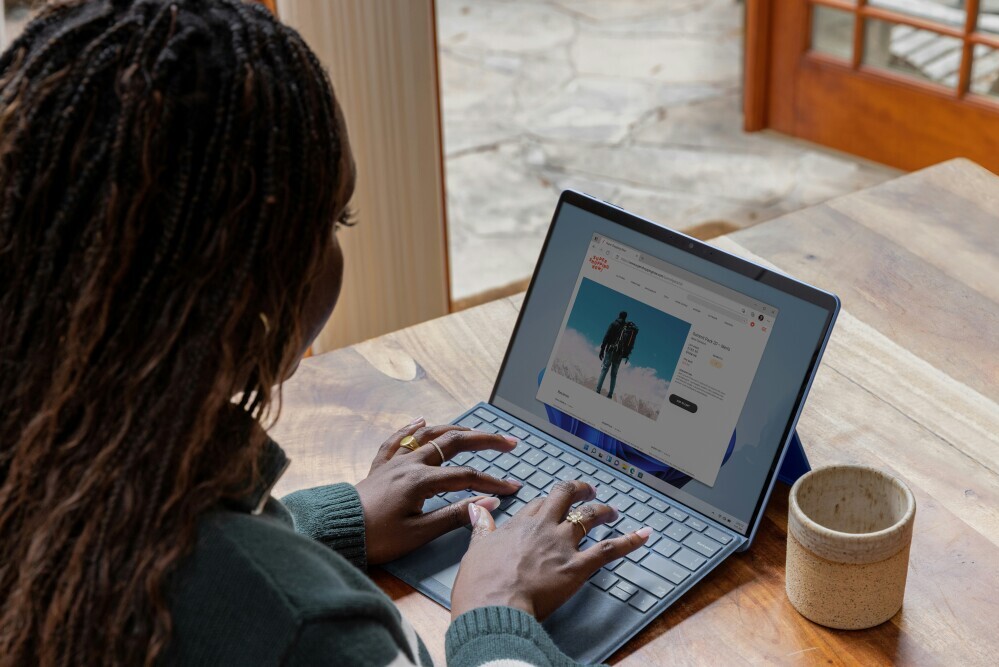
Budget-friendly workspace for blogging

In this step-by-step guide, I’m going to show you how to launch a blog that looks and feels professional, without expensive tools or unnecessary features. These steps are based on my own trial and error, so I know firsthand what really matters when you just want to get started.

How Blogging Can Be Affordable and Rewarding

blogging-can-be-affordable

Blogging has changed a lot since its early days. What started as online diaries has grown into a way for people to connect, educate, and even build businesses. More than 600 million blogs exist now, and many got started with very little money. When I began, I was worried about monthly costs and technical challenges, but there are plenty of affordable options and free resources out there. The main expenses come down to hosting and your domain name, but free tools for content creation and promotion make it possible to stay within your budget.

Deciding where you want your blog to go helps you stick to your plan and avoid overspending on things you just don’t need right away. Focus on getting your blog live and sharing your ideas. Fancy extras can come later.

Step 1: Pick Your Blog Niche and Name

choose-the-right-idea

Choosing a clear niche (that’s just the main topic or focus) makes it easier to attract the right readers. When I first started blogging, I wanted to write about everything under the sun, but focusing on a single topic brought me more consistent traffic and made writing feel less overwhelming.

Pick something that you’re genuinely interested in or have experience with. Topics can include travel, cooking, personal finance, crafts, health, tech, or anything you feel passionate about. You don’t need to be a world-class expert. You just have to care enough to keep sharing and improving. Readers respond best to authentic passion rather than perfection.

Your blog name should be catchy, relevant, and easy to remember. Brainstorm words related to your niche and try different combinations. Double-check that your name isn’t already in use and that the domain (like yourblogname.com) is available.

  • Tip: Skip extras like premium emails or special security features in the beginning. You can always add these later if you need them.

Step 3: Install WordPress and Use Free Themes/Plugins

wordpress

WordPress is the platform I always recommend to new bloggers because it’s free, open-source, and flexible. With Bluehost (or most hosts), you can set up WordPress with a simple one-click process. WordPress powers over 40% of all websites, including my own, and gives you full control of your site.

Once installed, you get to pick a blog theme (the design and layout). There are tons of free themes right in the WordPress theme directory. Astra, GeneratePress, and Neve are all solid choices for clean, mobile-friendly designs. I started with a free theme, and only paid for a premium one after several months. You won’t feel limited if you pick the right free theme from the start.

Plugins are little add-ons that give your blog more features. Don’t overload your blog. Focus on just a few basics right now:

  • Yoast SEO or Rank Math: Helps with search optimisation.
  • Akismet: Blocks spam comments.
  • Jetpack: Adds features like stats, backups, and security (the free version is enough for a new blog).

I only started experimenting with extra plugins after my blog gained more traffic. Keep things simple at first to avoid breaking your site or slowing it down.

Step 4: Write and Publish Your First Posts Without Expensive Tools

write-blog-posts

You don’t need fancy writing apps or expensive content suites to start blogging. I wrote my first 30 posts using Google Docs and the built-in WordPress editor. Focus on creating helpful, interesting, or entertaining posts for your readers. My early posts were rough, sometimes just lists or short how-to guides, but every bit of content taught me something new.

Here’s what really helped me stay consistent and keep improving:

  • Plan your first 5–10 post topics based on what readers of your niche would search for. Spend some time Googling top blogs in your niche and see what kinds of questions or problems they solve.
  • Write in your own voice. People want authenticity, not perfection.
  • Edit and proofread before you hit publish, but don’t get stuck aiming for flawless writing.
  • Use free image resources (like Unsplash or Pixabay) to add relevant, copyright-free photos to your posts.

All you really need is a clear idea and a willingness to keep showing up. I’ve found that the more I wrote, the easier it was to attract readers and keep Google happy.

Step 5: Only Upgrade When Your Blog Grows

Spending more money doesn’t automatically help your blog succeed. I made the mistake of buying premium plugins and themes right away, but quickly realized I didn’t use most of them. Stick with your free tools until you start seeing traffic and engagement. When you feel limited, then you can upgrade:

  • Premium themes: Upgrade only if you want special design features (like extra layouts or fonts) that your free theme doesn’t offer.
  • Email marketing services: Start with free plans from MailerLite or Mailchimp to build your list, then upgrade as your subscribers grow.
  • Paid plugins: Only add extra functionality that your blog truly needs (such as advanced SEO or e-commerce features).

I found that waiting to invest in upgrades meant I got more value from each purchase, because I knew exactly what I needed and why. This approach keeps your costs manageable and helps you focus on growing your blog, not just paying for tools.

Bonus: Get Guidance and Support with Step-by-Step Training

If you want more structure as you start out, you might find value in a training platform like Wealthy Affiliate. They offer beginner-friendly lessons, tools, and a supportive community. I joined a group like this when I hit a wall with tech questions and needed feedback on my content. Sometimes, learning alongside others gave me the motivation to keep going. Wealthy Affiliate offers hosting, website-building tools, and training all under one roof, so it can be useful if you want to keep things streamlined.

This is optional, but having access to tutorials and experienced bloggers can save you time (and avoid costly mistakes) while you build your confidence. Learning with others also helps you stay motivated.

There are also completely free communities online, such as Reddit’s r/Blogging or content creation Facebook groups, where people swap advice and encouragement. Getting a mix of structured training and peer experience can make the beginner phase smoother.

Common Questions About Starting a Blog on a Budget

Here are a few questions I often hear from people thinking about starting a blog without spending much money. To help you start with confidence, I’ve answered each in a straightforward way:

Question: How much does it really cost to start a blog?
Answer: You can start with as little as $50–$100 for your first year, covering basic hosting and a domain. Everything else—WordPress, themes, and plugins—can be free at the start. If you want to step up later, you can add on paid services as you grow.


Question: Can I start a blog for free?
Answer: You can use free platforms like Blogger or WordPress.com, but I always recommend using self-hosted WordPress (WordPress.org). It gives you more control, and isn’t that much more expensive when you use budget hosting. Plus, self-hosted blogs look and feel more professional.


Question: What if I don’t have technical skills?
Answer: Most modern platforms (including Bluehost and WordPress) have easy setup wizards. Tons of beginner tutorials are out there, and whenever I got stuck, I found answers with a quick search or helpful support forums. Don’t let a lack of tech skills stop you from giving it a shot!


Question: How can I make money from my blog later?
Answer: Once your blog has some steady content and traffic, you can earn from ads, affiliate marketing, sponsored posts, and even selling products or services. My very first blog check came from a simple Amazon affiliate link, and as my site grew, so did these opportunities.

Keep Blogging Simple and Consistent

Launching a blog on a budget is totally achievable if you focus on the essentials. All you really need is a reliable host (I trust Bluehost for affordable and easy setups), a clear niche, and the willingness to learn as you go. Don’t worry about perfection or expensive tools in the beginning. Free resources can help you build something eye-catching at low cost.

If you’re ready to get started, check out my Bluehost review for more details, or jump into making your first post. Remember, blogging is an adventure. Keep things simple, stick to your game plan, and enjoy sharing what matters to you with the world.

  • Tip from personal experience: Avoid complicated names or difficult spellings. Friends often told me they couldn’t find my first blog because I used weird punctuation.
  • Free tools to try: Use Namecheap’s domain search or free blog name generators to track down available names fast.

Step 2: Choose Budget-friendly Hosting

budget-friendly

Website hosting is where your blog “lives” online, and you need it to go live. Luckily, there are reliable, budget-friendly options. I started with Bluehost, and I’ve always found it easy for beginners. Bluehost’s plans are affordable, with some starting at just a few dollars a month, and you get a free domain name for the first year. That can save you some extra cash. It’s really beginner-friendly, and their support is responsive if you run into issues.

Another good option for cheap hosting is Hostinger. They offer competitive pricing and easy WordPress installation, but Bluehost is usually my first pick for new bloggers. You can read more in my detailed Bluehost review.

Once you pick a host, you’ll be able to register your domain and set up your blogging platform. All in one spot.

  • Tip: Skip extras like premium emails or special security features in the beginning. You can always add these later if you need them.

Step 3: Install WordPress and Use Free Themes/Plugins

wordpress

WordPress is the platform I always recommend to new bloggers because it’s free, open-source, and flexible. With Bluehost (or most hosts), you can set up WordPress with a simple one-click process. WordPress powers over 40% of all websites, including my own, and gives you full control of your site.

Once installed, you get to pick a blog theme (the design and layout). There are tons of free themes right in the WordPress theme directory. Astra, GeneratePress, and Neve are all solid choices for clean, mobile-friendly designs. I started with a free theme, and only paid for a premium one after several months. You won’t feel limited if you pick the right free theme from the start.

Plugins are little add-ons that give your blog more features. Don’t overload your blog. Focus on just a few basics right now:

  • Yoast SEO or Rank Math: Helps with search optimisation.
  • Akismet: Blocks spam comments.
  • Jetpack: Adds features like stats, backups, and security (the free version is enough for a new blog).

I only started experimenting with extra plugins after my blog gained more traffic. Keep things simple at first to avoid breaking your site or slowing it down.

Step 4: Write and Publish Your First Posts Without Expensive Tools

write-blog-posts

You don’t need fancy writing apps or expensive content suites to start blogging. I wrote my first 30 posts using Google Docs and the built-in WordPress editor. Focus on creating helpful, interesting, or entertaining posts for your readers. My early posts were rough, sometimes just lists or short how-to guides, but every bit of content taught me something new.

Here’s what really helped me stay consistent and keep improving:

  • Plan your first 5–10 post topics based on what readers of your niche would search for. Spend some time Googling top blogs in your niche and see what kinds of questions or problems they solve.
  • Write in your own voice. People want authenticity, not perfection.
  • Edit and proofread before you hit publish, but don’t get stuck aiming for flawless writing.
  • Use free image resources (like Unsplash or Pixabay) to add relevant, copyright-free photos to your posts.

All you really need is a clear idea and a willingness to keep showing up. I’ve found that the more I wrote, the easier it was to attract readers and keep Google happy.

Step 5: Only Upgrade When Your Blog Grows

Spending more money doesn’t automatically help your blog succeed. I made the mistake of buying premium plugins and themes right away, but quickly realized I didn’t use most of them. Stick with your free tools until you start seeing traffic and engagement. When you feel limited, then you can upgrade:

  • Premium themes: Upgrade only if you want special design features (like extra layouts or fonts) that your free theme doesn’t offer.
  • Email marketing services: Start with free plans from MailerLite or Mailchimp to build your list, then upgrade as your subscribers grow.
  • Paid plugins: Only add extra functionality that your blog truly needs (such as advanced SEO or e-commerce features).

I found that waiting to invest in upgrades meant I got more value from each purchase, because I knew exactly what I needed and why. This approach keeps your costs manageable and helps you focus on growing your blog, not just paying for tools.

Bonus: Get Guidance and Support with Step-by-Step Training

If you want more structure as you start out, you might find value in a training platform like Wealthy Affiliate. They offer beginner-friendly lessons, tools, and a supportive community. I joined a group like this when I hit a wall with tech questions and needed feedback on my content. Sometimes, learning alongside others gave me the motivation to keep going. Wealthy Affiliate offers hosting, website-building tools, and training all under one roof, so it can be useful if you want to keep things streamlined.

This is optional, but having access to tutorials and experienced bloggers can save you time (and avoid costly mistakes) while you build your confidence. Learning with others also helps you stay motivated.

There are also completely free communities online, such as Reddit’s r/Blogging or content creation Facebook groups, where people swap advice and encouragement. Getting a mix of structured training and peer experience can make the beginner phase smoother.

Common Questions About Starting a Blog on a Budget

Here are a few questions I often hear from people thinking about starting a blog without spending much money. To help you start with confidence, I’ve answered each in a straightforward way:

Question: How much does it really cost to start a blog?
Answer: You can start with as little as $50–$100 for your first year, covering basic hosting and a domain. Everything else—WordPress, themes, and plugins—can be free at the start. If you want to step up later, you can add on paid services as you grow.


Question: Can I start a blog for free?
Answer: You can use free platforms like Blogger or WordPress.com, but I always recommend using self-hosted WordPress (WordPress.org). It gives you more control, and isn’t that much more expensive when you use budget hosting. Plus, self-hosted blogs look and feel more professional.


Question: What if I don’t have technical skills?
Answer: Most modern platforms (including Bluehost and WordPress) have easy setup wizards. Tons of beginner tutorials are out there, and whenever I got stuck, I found answers with a quick search or helpful support forums. Don’t let a lack of tech skills stop you from giving it a shot!


Question: How can I make money from my blog later?
Answer: Once your blog has some steady content and traffic, you can earn from ads, affiliate marketing, sponsored posts, and even selling products or services. My very first blog check came from a simple Amazon affiliate link, and as my site grew, so did these opportunities.

Keep Blogging Simple and Consistent

Launching a blog on a budget is totally achievable if you focus on the essentials. All you really need is a reliable host (I trust Bluehost for affordable and easy setups), a clear niche, and the willingness to learn as you go. Don’t worry about perfection or expensive tools in the beginning. Free resources can help you build something eye-catching at low cost.

If you’re ready to get started, check out my Bluehost review for more details, or jump into making your first post. Remember, blogging is an adventure. Keep things simple, stick to your game plan, and enjoy sharing what matters to you with the world.

0 0 votes
Article Rating
Subscribe
Notify of
guest
0 Comments
Oldest
Newest Most Voted
Inline Feedbacks
View all comments

Get our free guide and learn how to Launch a Successful Affiliate Marketing Business.

Plus, Get Tips, Strategies, and Valuable Insights Straight to your Inbox

0
Would love your thoughts, please comment.x
()
x